Your first draft is already written.
AI runs ahead of you. Every output that would otherwise need an analyst's first pass is already drafted by the time you open the deal. You review and approve. The work moves at the speed of decisions, not the speed of typing.
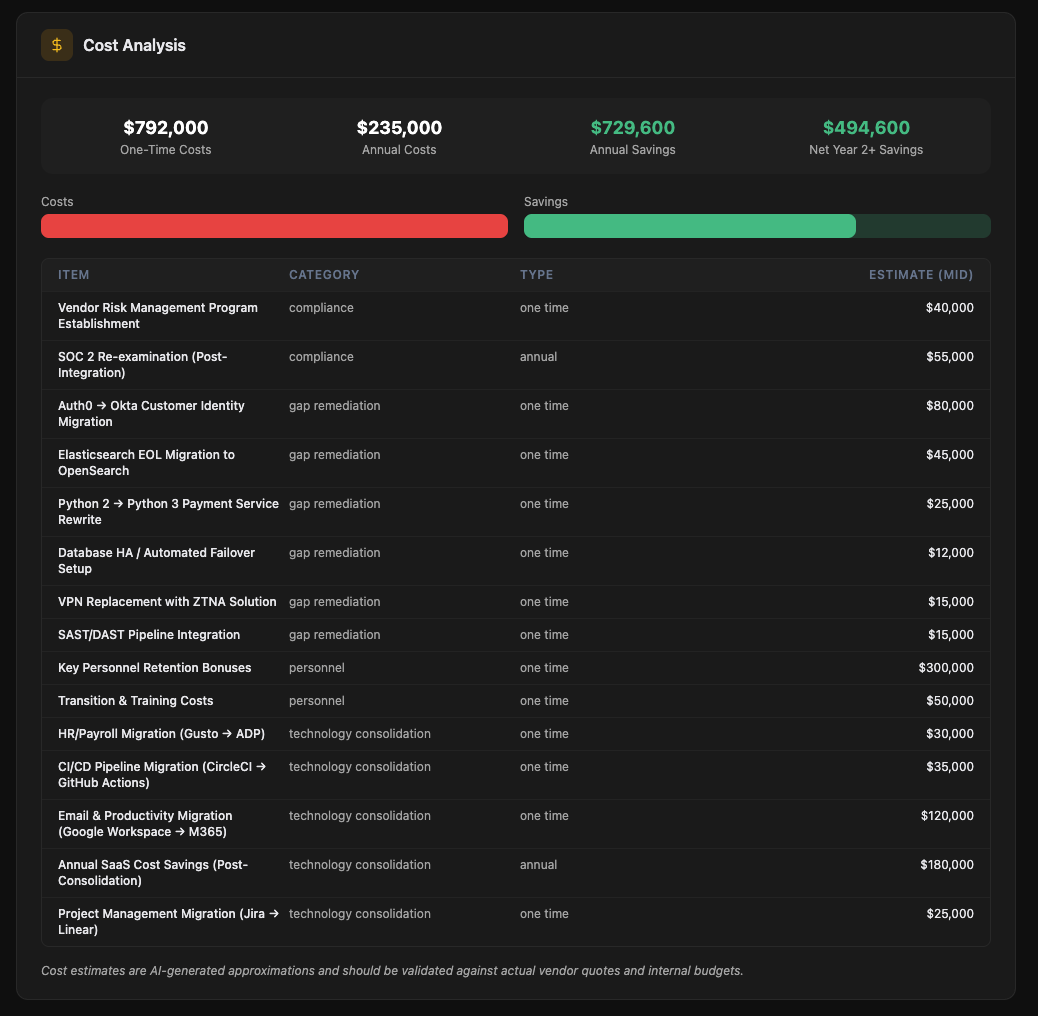
Quantify integration cost before you sign
A complete inventory of the target's stack with overlap detection and a consolidation savings model. The numbers your operating partner needs to defend the IRR.
- SaaS, on-prem, infrastructure, and developer tooling, categorized across 40+ functions
- Per-tool: vendor, function, owner, contract end date, annual spend
- Auto-flagging of duplicates with your existing stack
- Consolidation savings, integration cost, and Net Year-1 impact, all defensible to the IC
- Day-1 / Day-30 / Day-90 consolidation roadmap
The target's vendors become yours at close
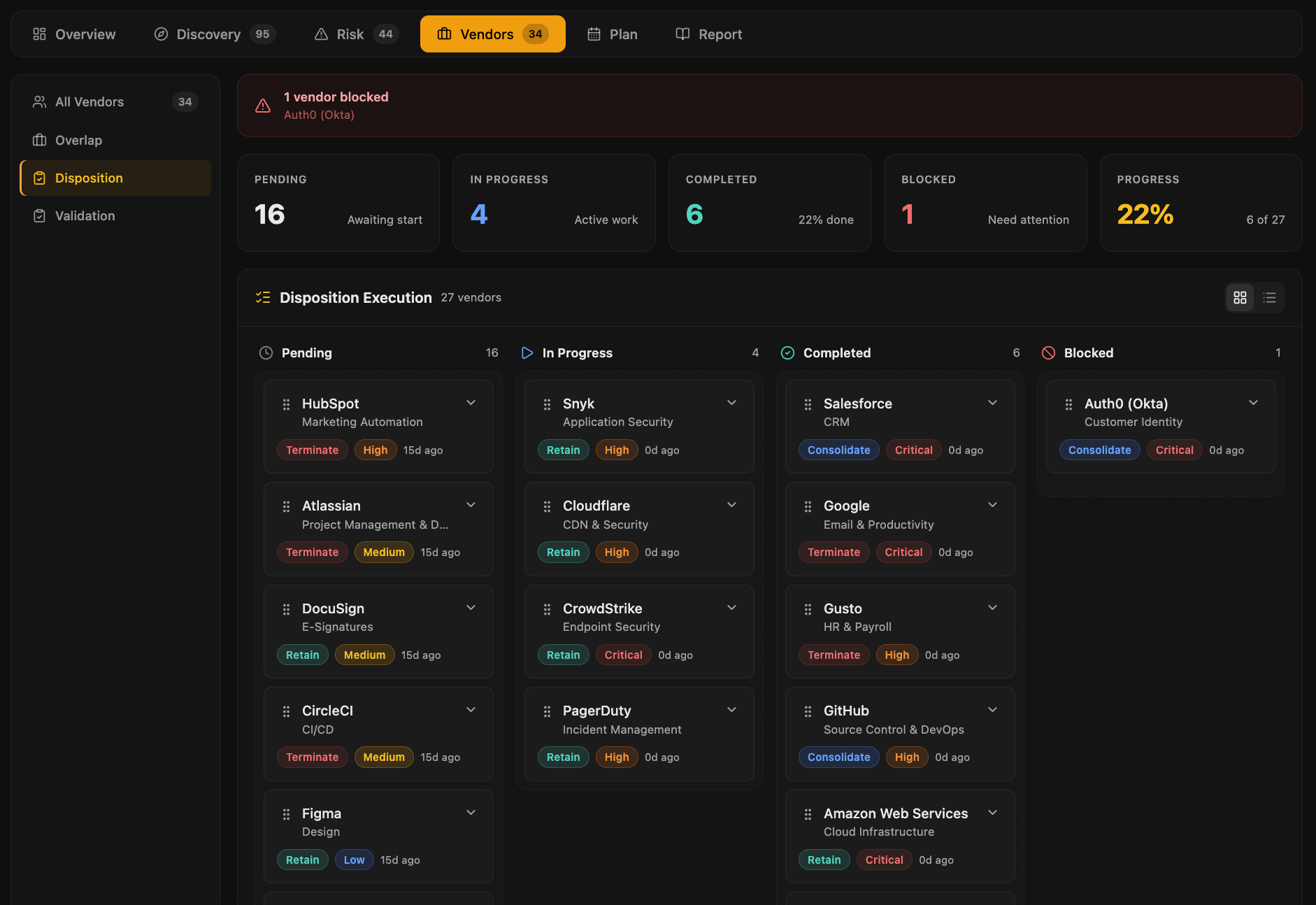
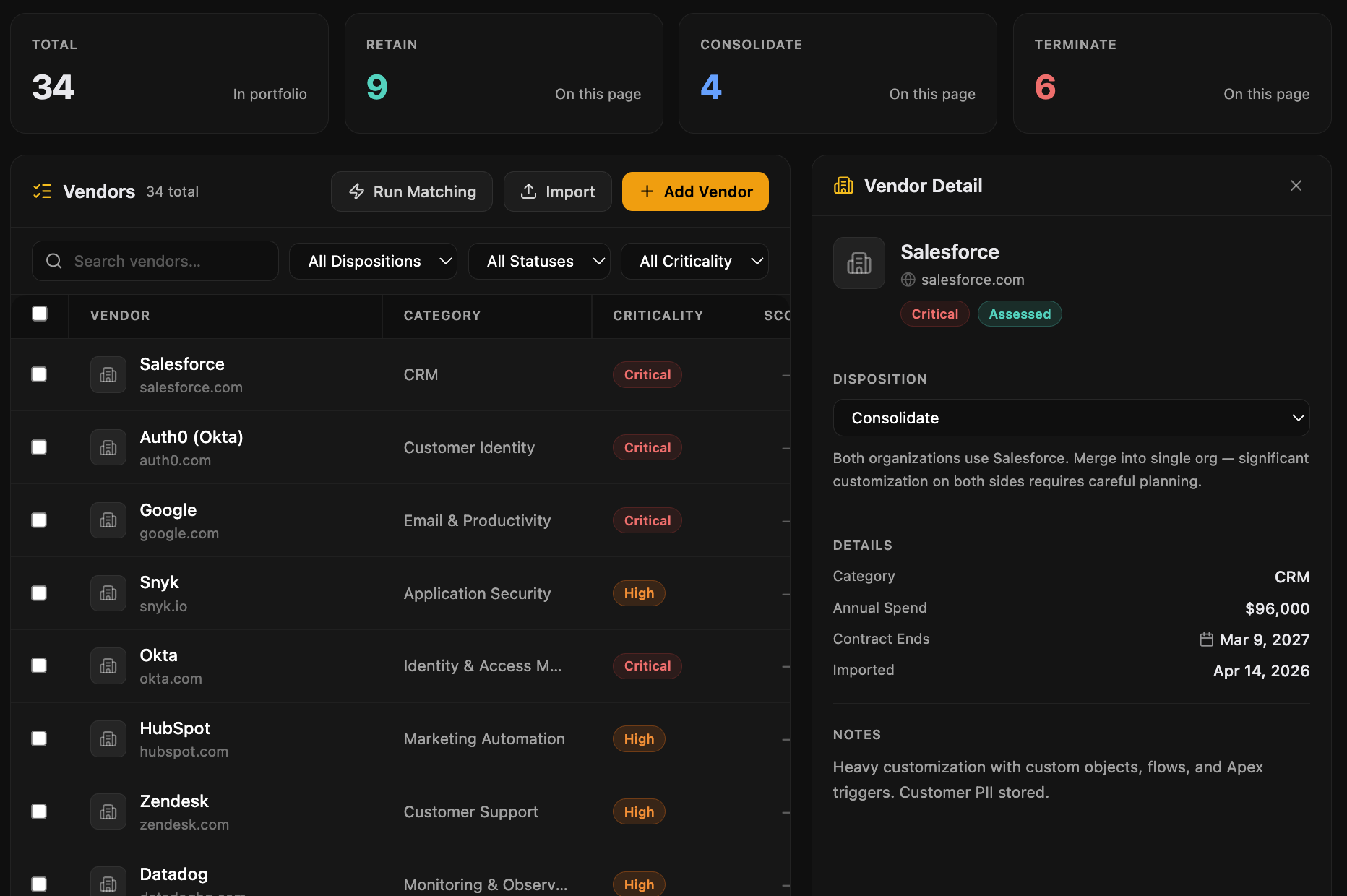
A complete map of the third-party relationships you're inheriting, with criticality, spend, and disposition all in one view. No surprises Day 1.
- Criticality: Critical, High, Medium, Low (production-path through commodity)
- Disposition: Retain, Consolidate, Review, Exit (drag-and-drop kanban)
- Spend visibility and contract terms inline on every vendor
- Decisions feed straight into the Integration Plan with owners and dates
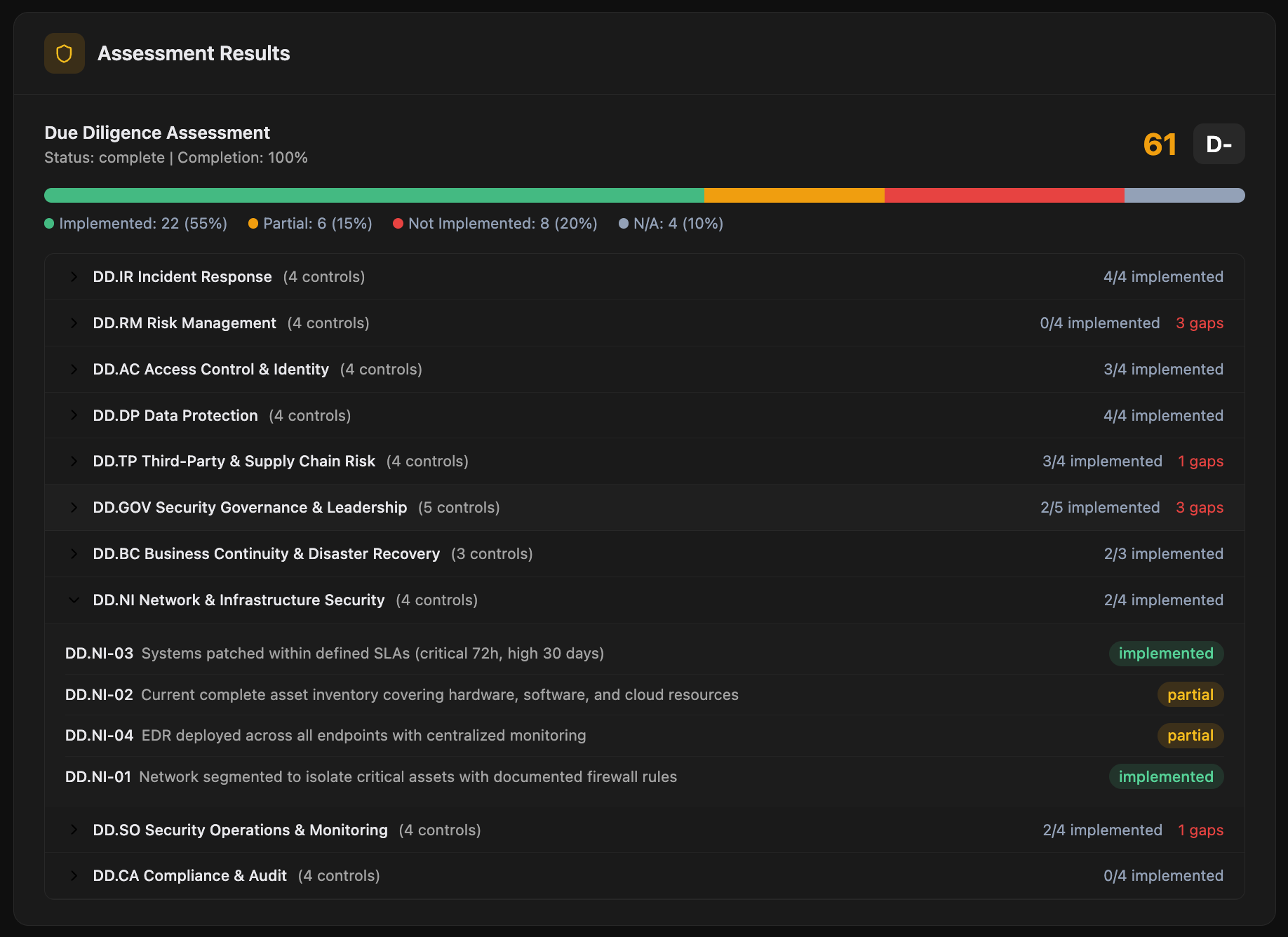
Control-by-control assessment with AI scoring
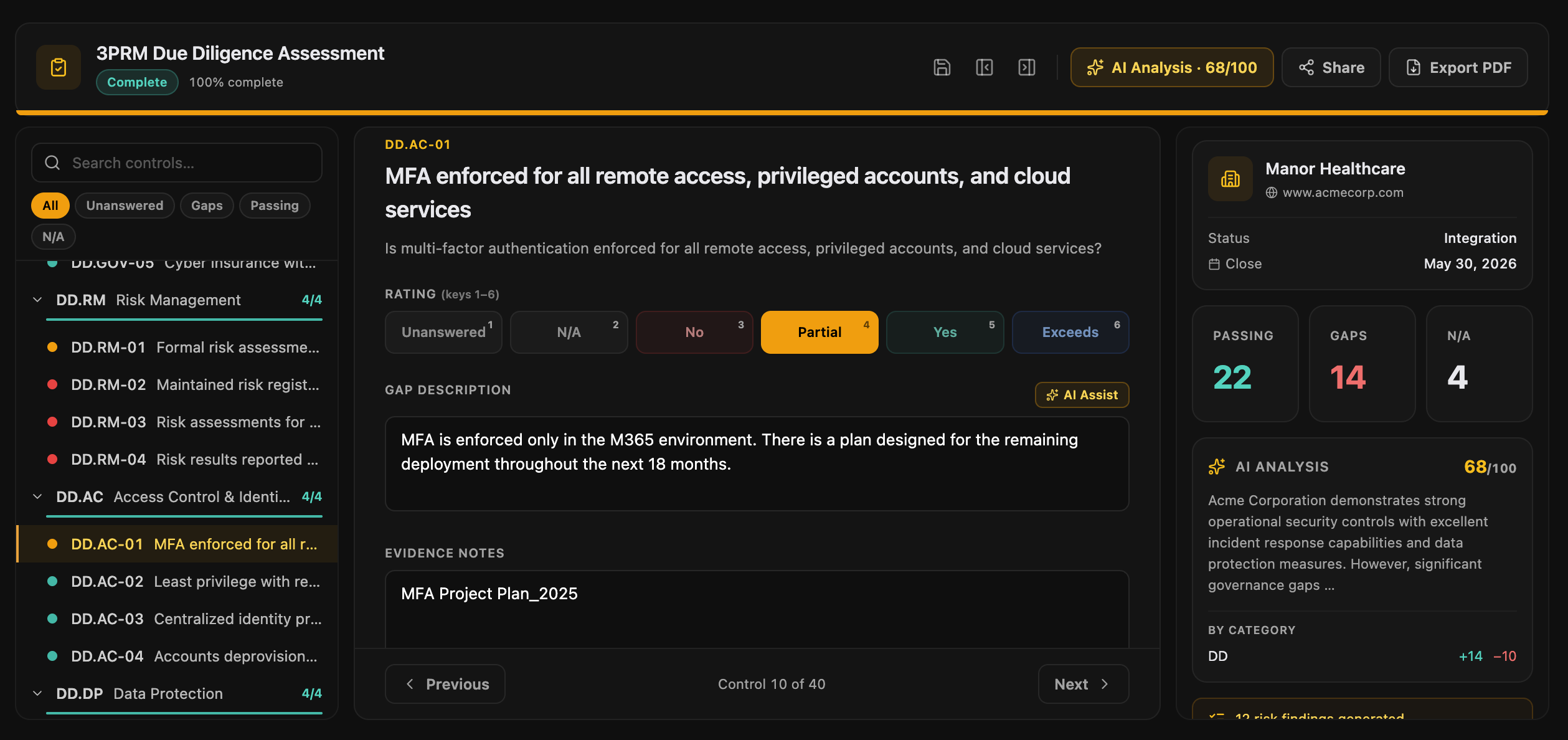
A structured assessment mapped to the framework that matters. Scales from a 2-day pre-LOI screen to a 3-week confirmatory deep dive on the same platform.
- AI-drafted gap descriptions and remediation cost per control, you edit
- Bulk AI pre-fill: drop a SOC 2 or ISO report and AI walks every control
- Shareable fill-in links to target-company respondents
- Multi-respondent flow with per-respondent status tracking
- Evidence uploads with PDF and DOCX text extraction
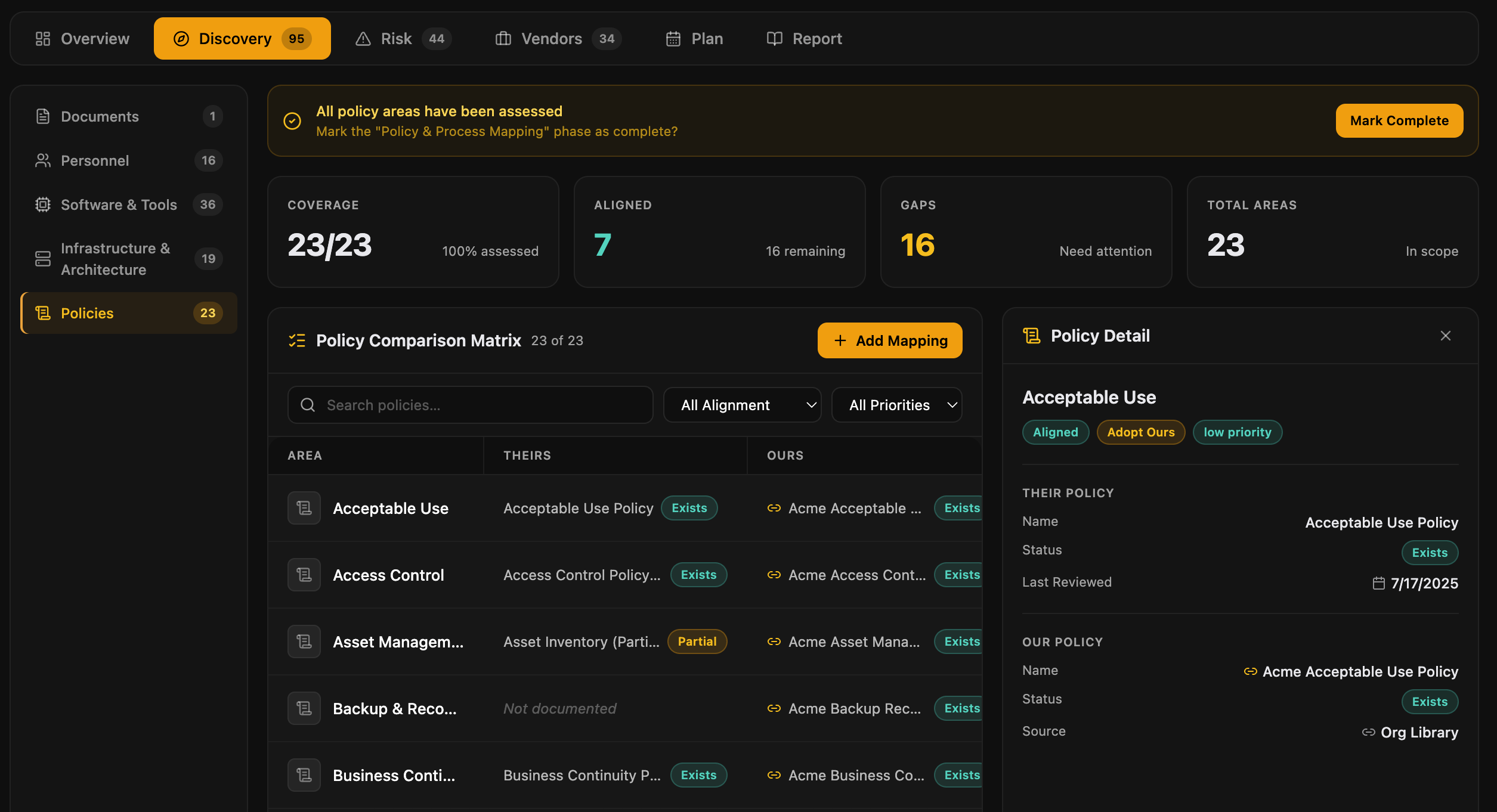
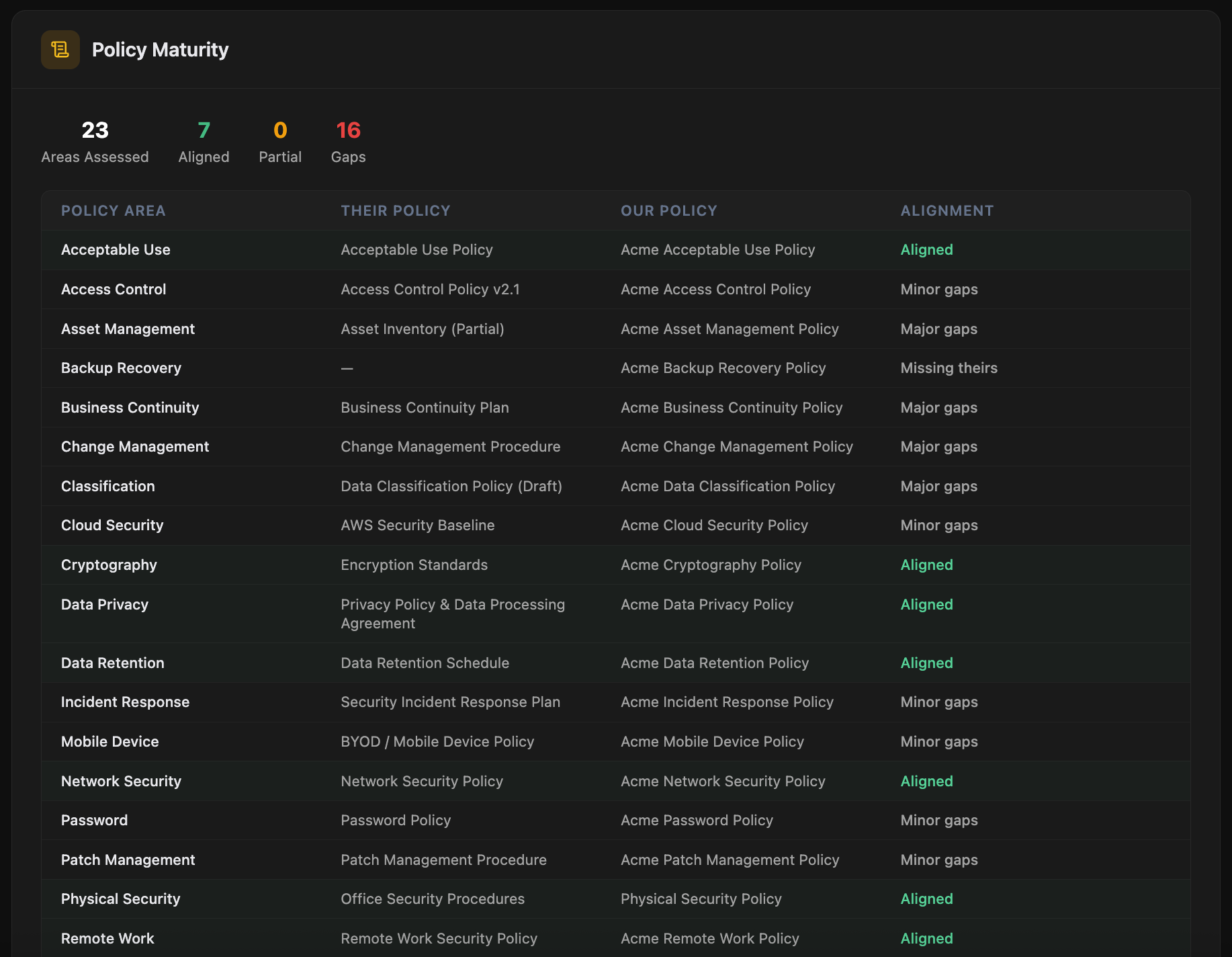
Side-by-side policy comparison
A 23-policy-area comparison matrix between the target and your firm. Alignment ratings, missing policies flagged, harmonization plan ready to hand to the integration team.
- 23 policy areas covered: information security, access control, incident response, vendor management, encryption, business continuity, and more
- Alignment matrix: target vs. acquirer, area by area
- Major gap flags with severity classification
- Harmonization plan with priority and effort estimates
- Day-1 policy actions for the combined entity
SBOM analysis: see the software risk
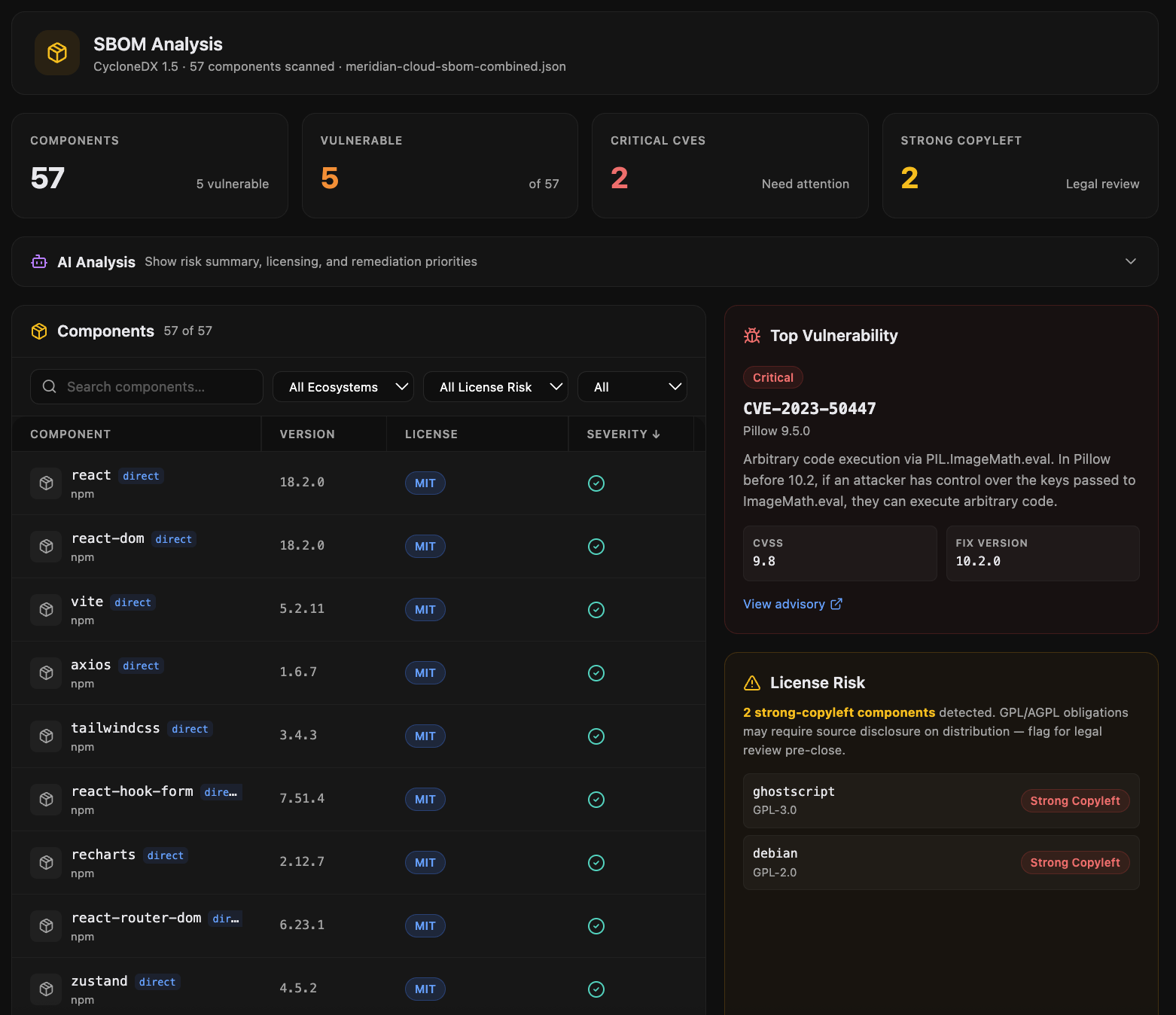
Upload an SBOM and get instant CVE analysis, license risk classification, and severity breakdown. The technical risk view that doesn't fit in a data room.
Supported formats
- CycloneDX (1.4, 1.5, 1.6) in JSON or XML
- SPDX 2.3 in JSON, YAML, or RDF
- Direct upload or generation from common build tools
What you get out
- Component inventory with version and origin
- CVE enrichment from NVD and OSV, with CVSS severity
- License classification: permissive, copyleft, restricted, unknown
- Highest-risk components ranked for remediation
- AI-generated narrative summary of the supply-chain posture
Investment-committee-ready in one click
A DD Intelligence Report with composite scoring, weighted risk components, executive summary, and full findings detail. The artifact you hand to the IC, the GP, or the board.
- Composite DD score with letter grade and weighting rationale
- Executive summary written for the GP, not buried in technical jargon
- Full findings detail by category with severity and remediation cost
- Integration cost summary and Day-1 action list
- PDF export, shareable link, or branded handoff
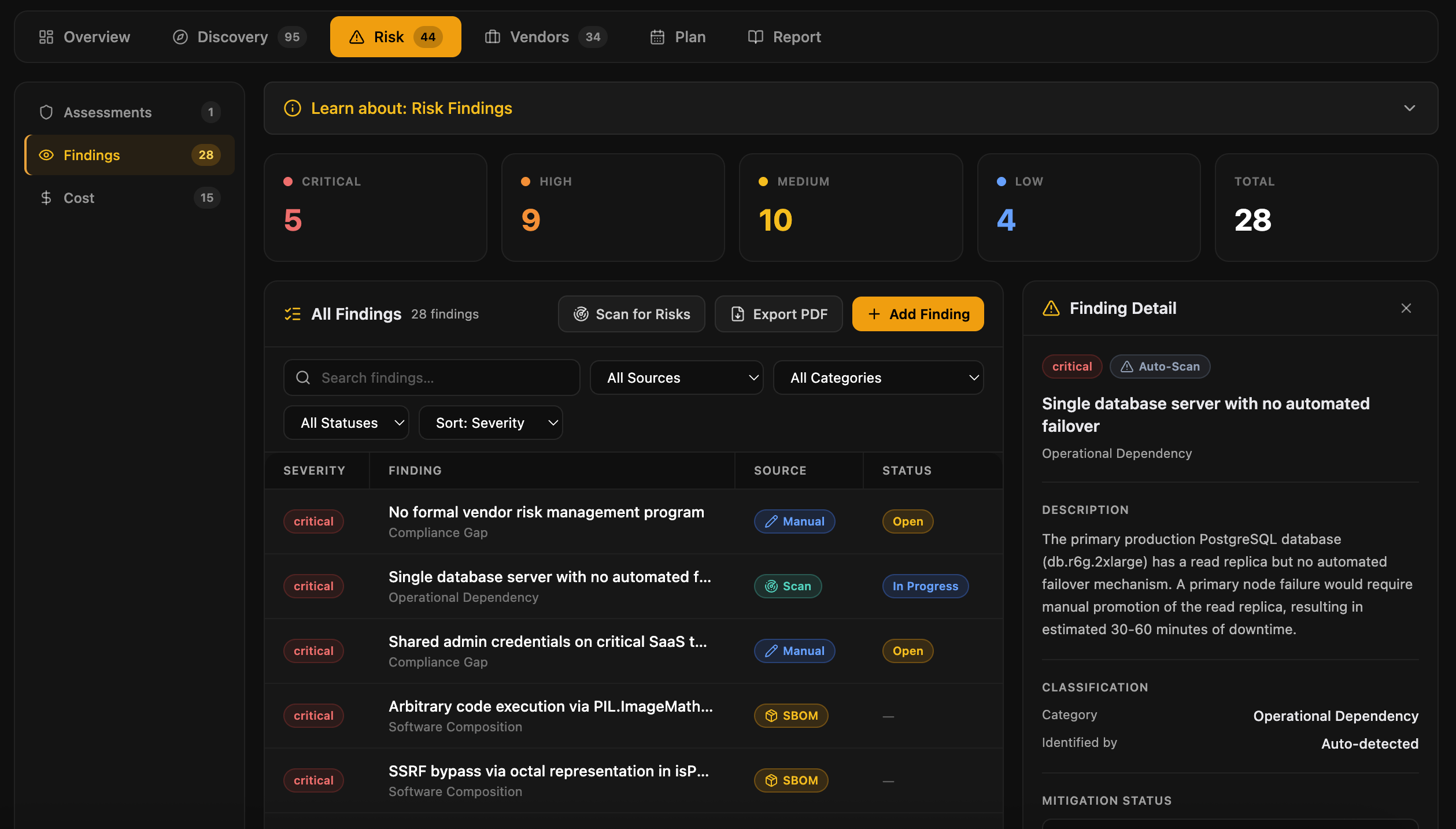
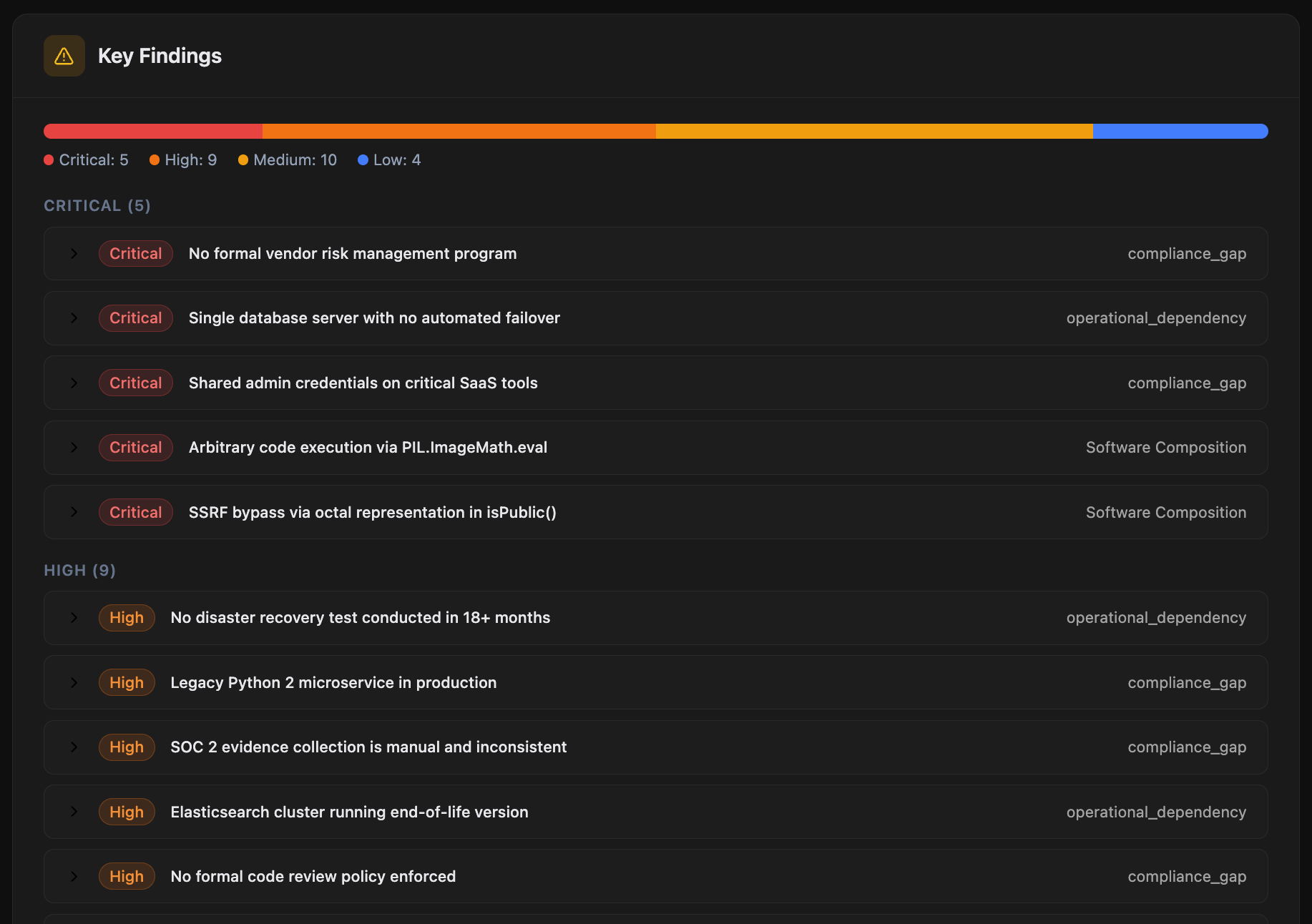
Every finding, in one register
A consolidated risk register that pulls findings from every assessment, policy gap, vendor review, and SBOM analysis. The artifact your IC and your integration team both work from.
- Severity, cost estimate, owner, target date, and status per finding
- Source citation: which assessment or framework surfaced it
- Evidence references with stale-evidence flags
- Risk-acceptance link if formally accepted, with audit trail
Map the team you're inheriting
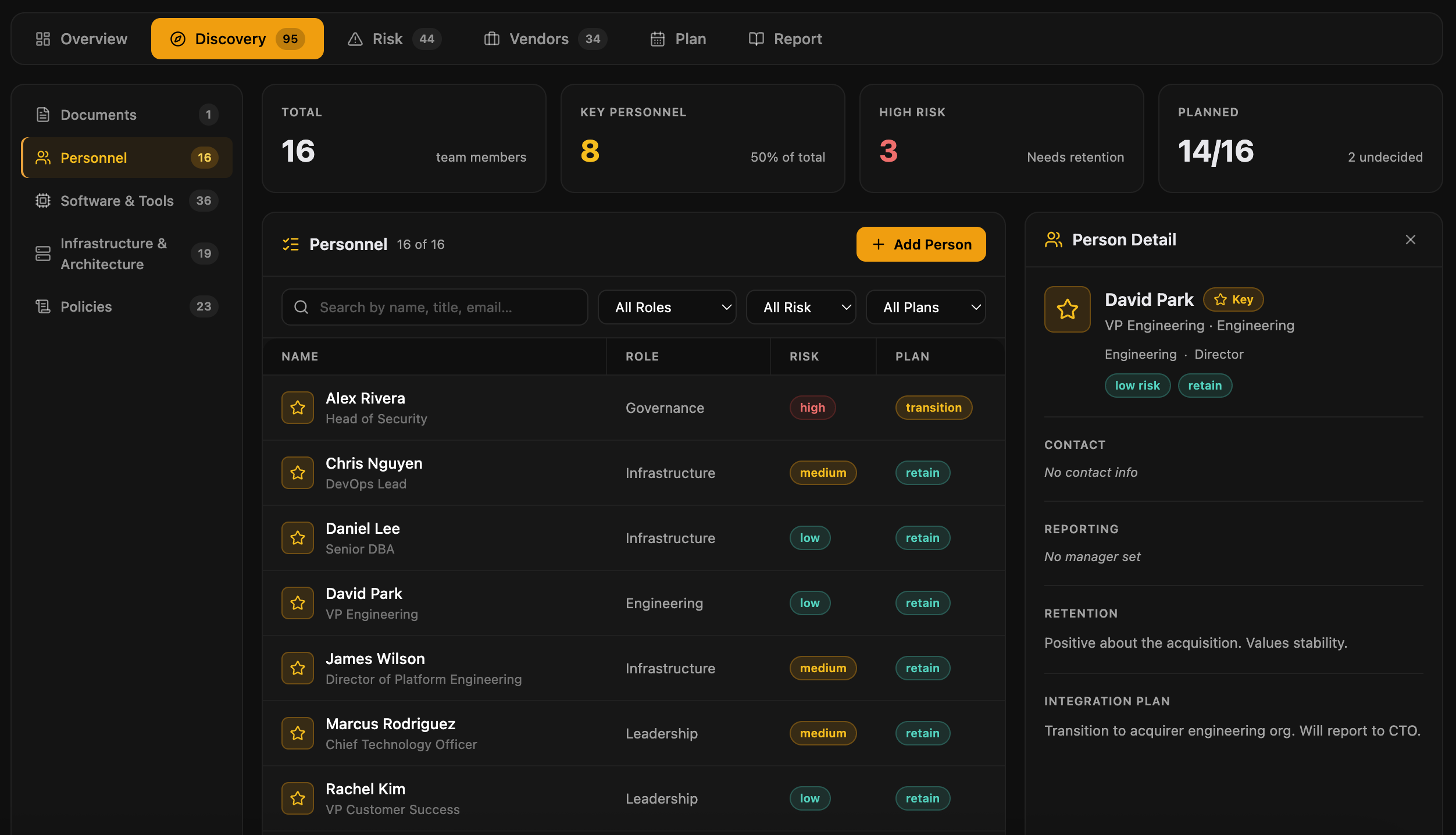
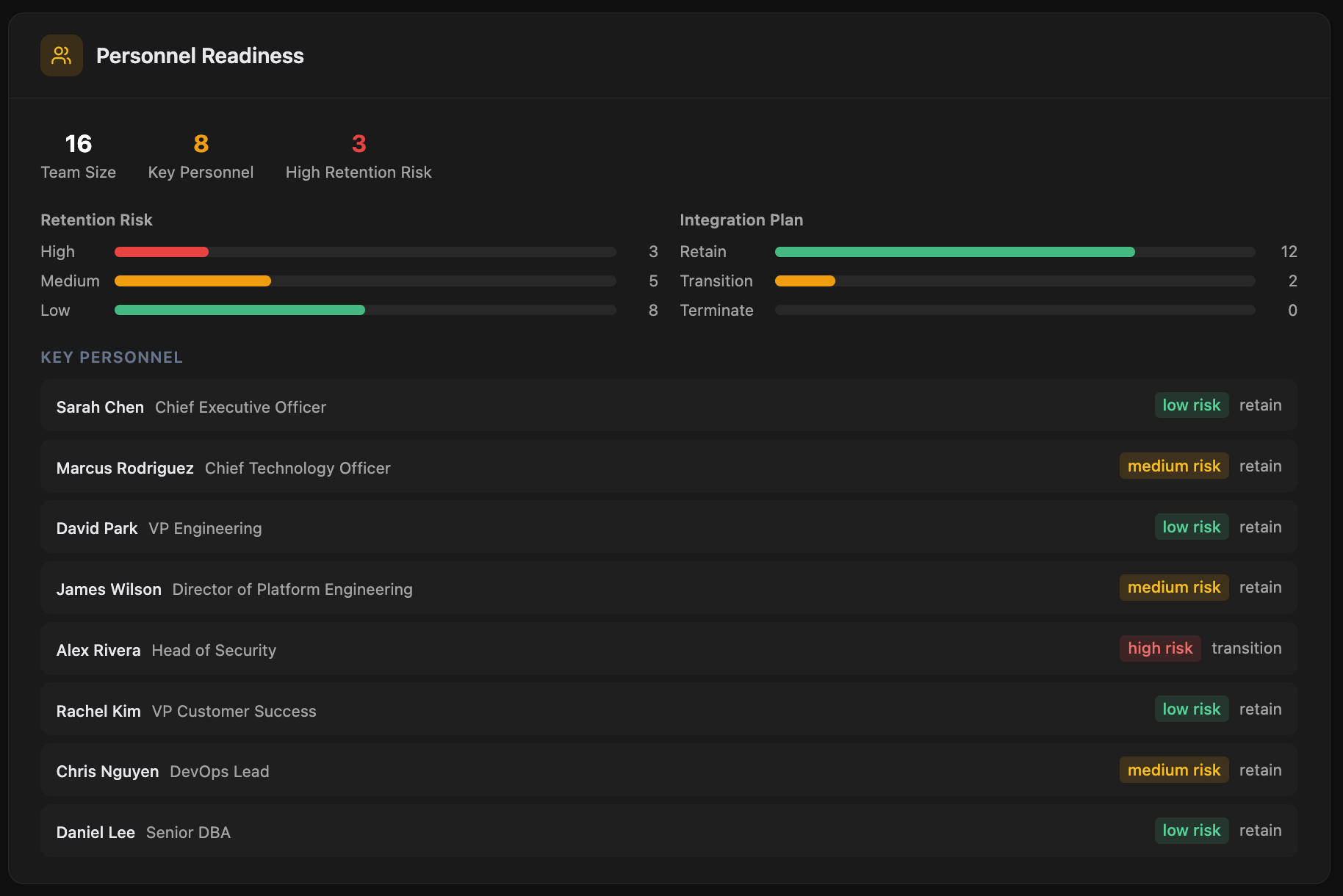
A roster of the target's tech and security staff with role, tenure, and key-person dependency flags. Spot retention risk before close.
- Role, function, and reporting structure
- Tenure and time-in-role indicators
- Key-person dependency flags for critical knowledge holders
- Retention-risk scoring with notes for comp, retention packages, or transition concerns
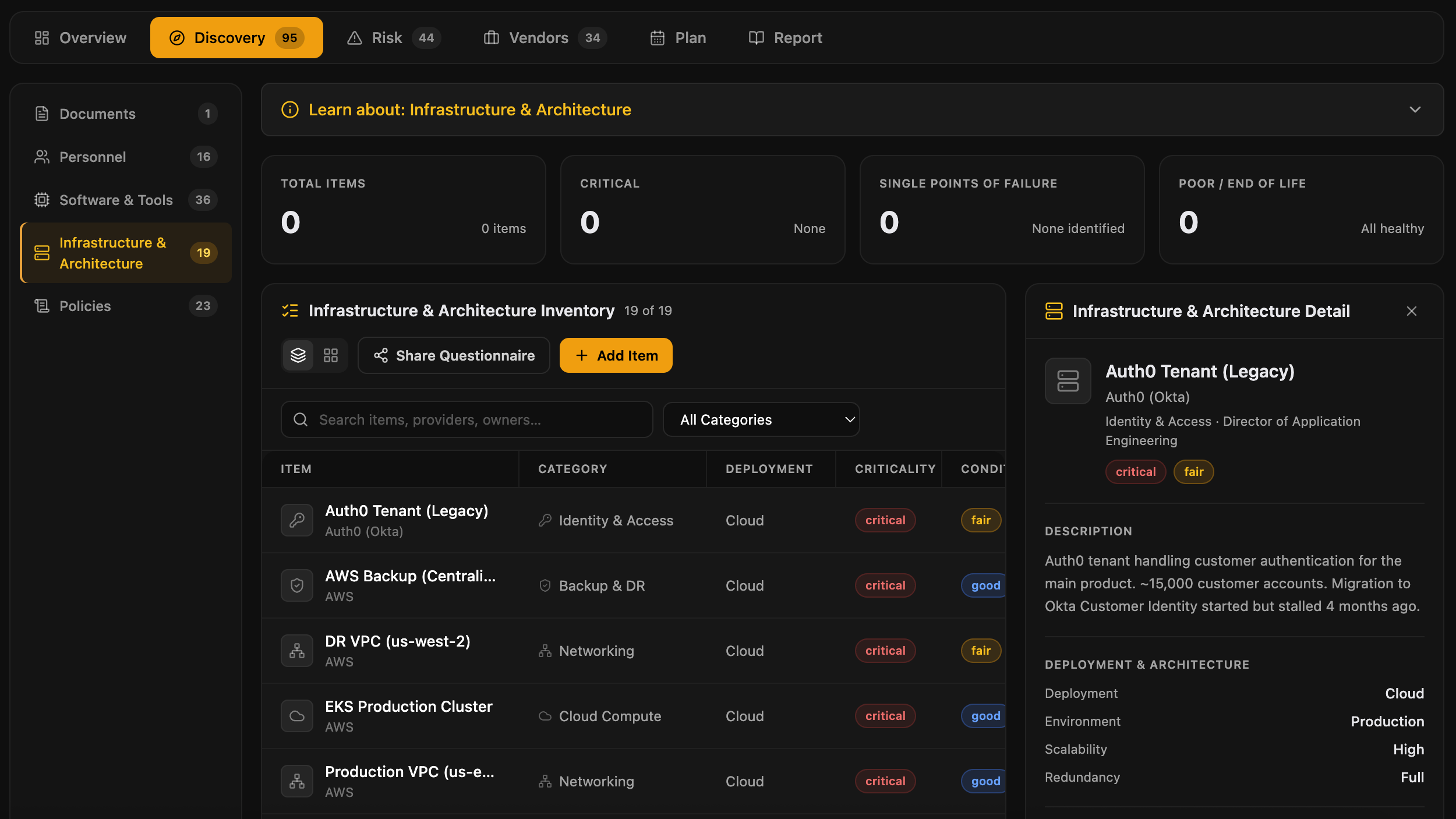
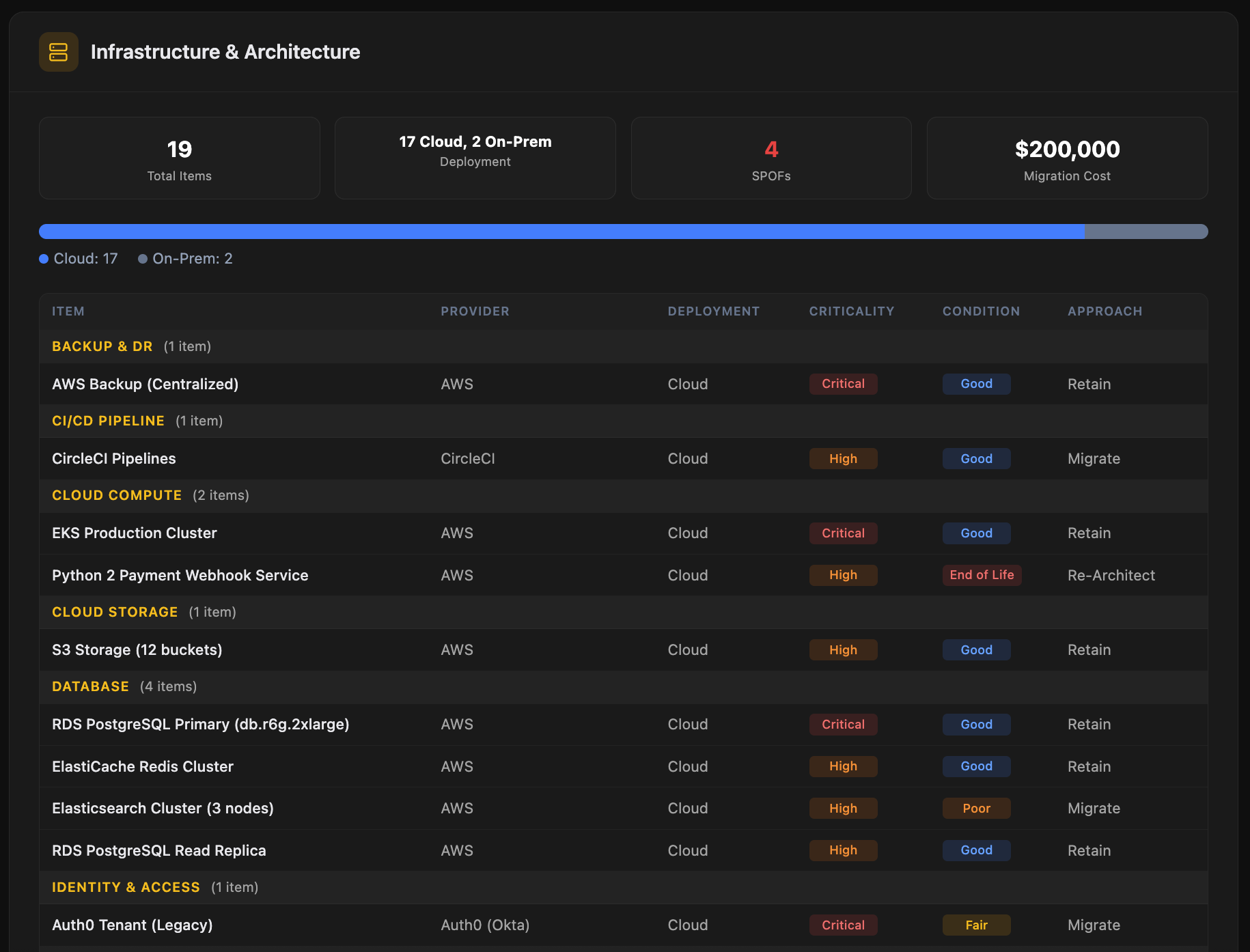
Cloud, on-prem, and what it takes to integrate
Cloud composition, on-prem footprint, and architectural complexity. Migration cost and risk surface immediately, before they become an integration surprise.
- Cloud provider mix (AWS, GCP, Azure, others) with workload split
- On-prem footprint with location, age, and refresh status
- Critical dependencies and single points of failure
- Architectural patterns and their integration implications
- Network topology, identity providers, and data flow boundaries
Diligence becomes the integration plan
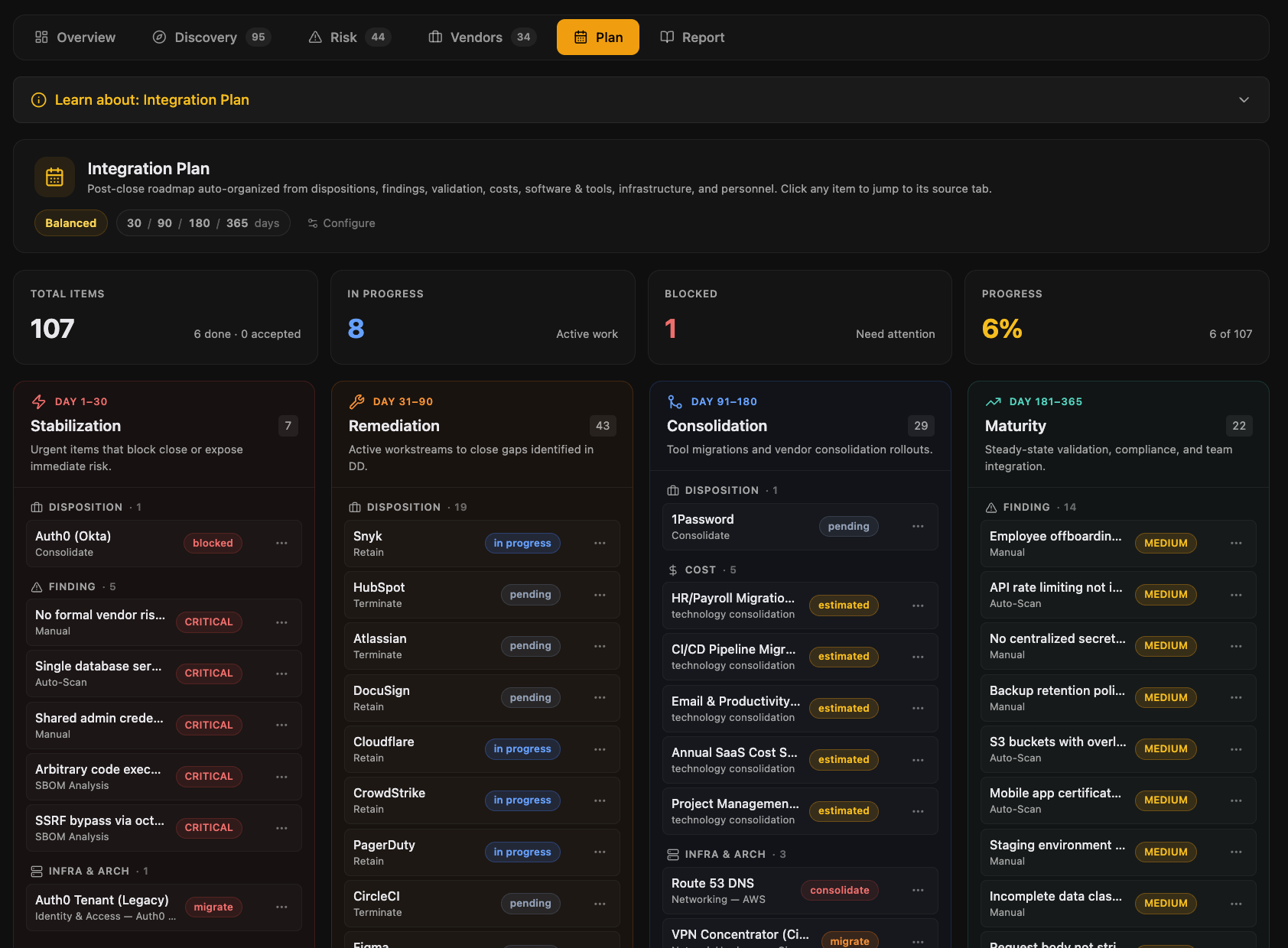
The findings, vendor dispositions, and cost estimates that justified the deal auto-organize into a 4-phase post-close roadmap. Configurable risk tolerance, accepted risks logged with an audit trail, and the same workspace that ran DD now runs Day 1 and beyond.
The four phases
- Stabilization. Critical Day-1 actions: ownership transfer, access provisioning, identity cutover, must-keep vendors
- Remediation. Findings the deal turned on, with owners, target dates, and budget
- Consolidation. Tool migrations, vendor exits, contract terminations, license rationalization
- Maturity. Bringing the target up to platform standards: policies, programs, certifications
Risk tolerance toggle
- Conservative. Tighter remediation timelines, fewer accepted risks, higher integration spend
- Balanced. Default mode, calibrated against typical deal economics
- Aggressive. Looser timelines for non-critical findings, more accepted risks logged formally
Every artifact, in one place
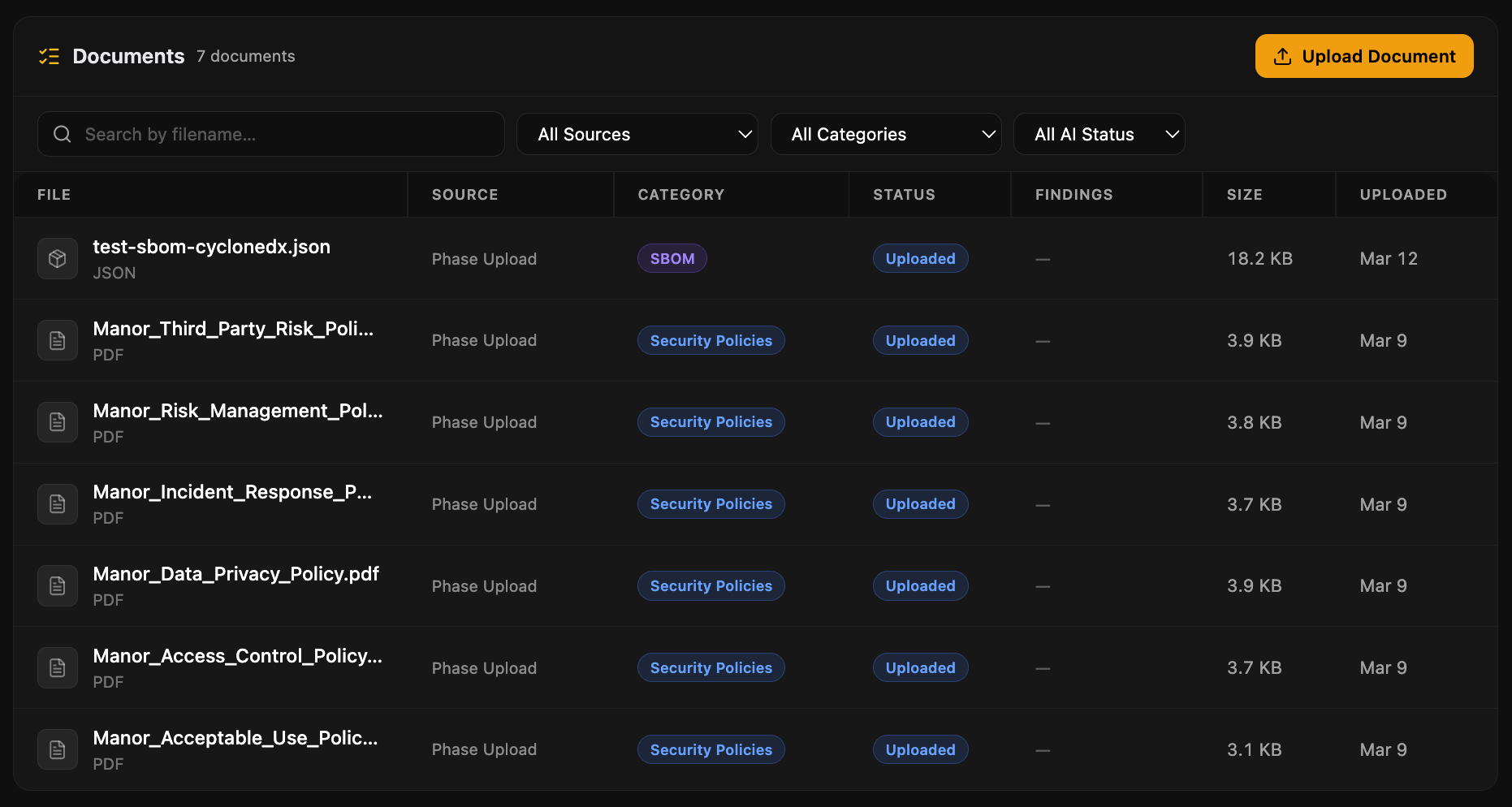
A unified workspace for assessment evidence, phase uploads, and target-submitted documents. AI classifies and summarizes on upload, and a source filter shows you exactly where each artifact lives in the deal.
What the workspace gives you
- Auto-classification across 8 document types: SOC 2, ISO certifications, policies, contracts, SBOMs, and more
- AI-generated summary per document, available without opening the file
- Source filter: assessment evidence, integration phase uploads, or all
- Stale-evidence flags when documents referenced by findings go out of date
- PDF and DOCX text extraction for inline search and AI grounding
See it on a real deal
A 30-minute walkthrough with the founder. Bring a target, bring a thesis, or just bring questions.